Python Dictionaries - Common Data Structures
So far, we have introduced three container data types in Python (lists, tuples, sets), but these data types are still not sufficient to help us solve all problems. For example, we need a variable to store multiple pieces of information about a person, including: name, age, height, weight, home address, personal phone number, and emergency contact phone number. At this point, you will find that the list, tuple, and set types we learned before are not ideal.
person1 = ['王大锤', 55, 168, 60, '成都市武侯区科华北路62号1栋101', '13122334455', '13800998877']
person2 = ('王大锤', 55, 168, 60, '成都市武侯区科华北路62号1栋101', '13122334455', '13800998877')
person3 = {'王大锤', 55, 168, 60, '成都市武侯区科华北路62号1栋101', '13122334455', '13800998877'}
Sets are definitely the least suitable because sets cannot have duplicate elements. If a person’s age and weight happen to be the same, the set will be missing one piece of information; similarly, if this person’s phone number and emergency contact phone number are the same, the set will be missing another piece of information. On the other hand, although lists and tuples can save all of a person’s information, when you want to get this person’s phone number or home address, you need to know which element in the list or tuple their phone number is. In short, when encountering the above scenarios, lists, tuples, and sets are not the most suitable choices. At this time, we need the dictionary (dictionary) type. This data type is most suitable for assembling related information together and can help us solve the problem of modeling real things in Python programs.
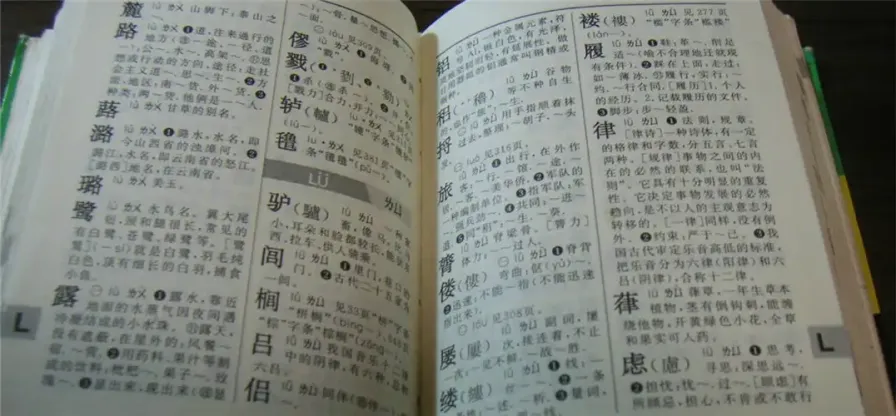
Speaking of the word dictionary, everyone must be familiar with it. When we were in elementary school, everyone basically had a copy of the “Xinhua Dictionary”, as shown in the figure below.
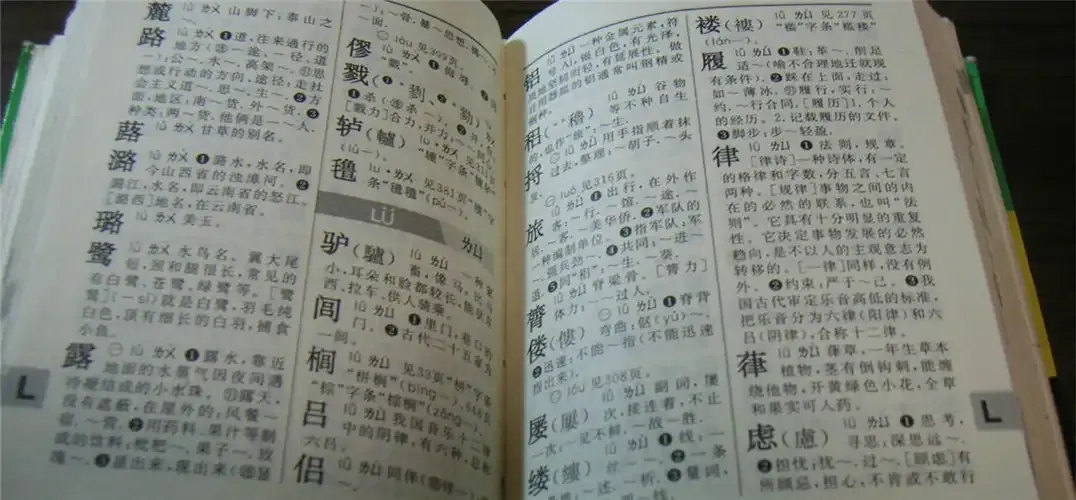
Dictionaries in Python programs are very similar to dictionaries in real life. They organize data together in the form of key-value pairs (combinations of keys and values), and we can find the corresponding value through the key and operate on it. Just like in the “Xinhua Dictionary”, each character (key) has its corresponding explanation (value), and each character and its explanation together form an entry in the dictionary, and the dictionary usually contains many such entries.
Creating and Using Dictionaries
In Python, you can use the {} literal syntax to create dictionaries, which is the same as the sets we talked about in the last lesson. However, the elements in the dictionary’s {} exist in the form of key-value pairs, with each element consisting of two values separated by :. The value before : is the key, and the value after : is the value, as shown in the following code.
xinhua = {
    '麓': '山脚下',
    '路': '道,往来通行的地方;方面,地区:南~货,外~货;种类:他俩是一~人',
    '蕗': '甘草的别名',
    '潞': '潞水,水名,即今山西省的浊漳河;潞江,水名,即云南省的怒江'
}
print(xinhua)
person = {
    'name': '王大锤',
    'age': 55,
    'height': 168,
    'weight': 60,
    'addr': '成都市武侯区科华北路62号1栋101',
    'tel': '13122334455',
    'emergence contact': '13800998877'
}
print(person)
From the code above, I believe everyone can see that using dictionaries to store a person’s information is far superior to using lists or tuples, because we can use the key before : to represent the meaning of the entry, and after : is the value corresponding to this entry.
Of course, if you wish, we can also use the built-in function dict or dictionary generator syntax to create dictionaries, as shown in the following code.
# Each set of parameters in the dict function (constructor) is a key-value pair in the dictionary
person = dict(name='王大锤', age=55, height=168, weight=60, addr='成都市武侯区科华北路62号1栋101')
print(person)  # {'name': '王大锤', 'age': 55, 'height': 168, 'weight': 60, 'addr': '成都市武侯区科华北路62号1栋101'}

# You can use Python's built-in zip function to compress two sequences and create a dictionary
items1 = dict(zip('ABCDE', '12345'))
print(items1)  # {'A': '1', 'B': '2', 'C': '3', 'D': '4', 'E': '5'}
items2 = dict(zip('ABCDE', range(1, 10)))
print(items2)  # {'A': 1, 'B': 2, 'C': 3, 'D': 4, 'E': 5}

# Create dictionary using dictionary generator syntax
items3 = {x: x ** 3 for x in range(1, 6)}
print(items3)  # {1: 1, 2: 8, 3: 27, 4: 64, 5: 125}
To know how many key-value pairs are in a dictionary, still use the len function; if you want to traverse a dictionary, you can use a for loop, but note that the for loop only traverses the keys of the dictionary. However, it doesn’t matter, after learning about dictionary indexing operations, we can access the corresponding value through the dictionary’s key.
person = {
    'name': '王大锤',
    'age': 55,
    'height': 168,
    'weight': 60,
    'addr': '成都市武侯区科华北路62号1栋101'
}
print(len(person))  # 5
for key in person:
    print(key)
Dictionary Operations
For dictionary types, membership operations and indexing operations are definitely very important. The former can determine whether a specified key is in the dictionary, and the latter can access the corresponding value through the key or add new key-value pairs to the dictionary. It’s worth noting that dictionary indexing is different from list indexing. Elements in a list have their own ordinal numbers, so list indexing is an integer; because dictionaries store key-value pairs, dictionaries need to use keys to index corresponding values. It’s especially important to remind everyone that keys in dictionaries must be immutable types, such as integers (int), floating-point numbers (float), strings (str), tuples (tuple), etc. This is the same as the requirement for elements in set types; obviously, the lists (list) and sets (set) we talked about before cannot be used as keys in dictionaries, and dictionary types themselves cannot be used as keys in dictionaries, because dictionaries are also mutable types. However, lists, sets, and dictionaries can all be used as values in dictionaries, for example:
person = {
    'name': '王大锤',
    'age': 55,
    'height': 168,
    'weight': 60,
    'addr': ['成都市武侯区科华北路62号1栋101', '北京市西城区百万庄大街1号'],
    'car': {
        'brand': 'BMW X7',
        'maxSpeed': '250',
        'length': 5170,
        'width': 2000,
        'height': 1835,
        'displacement': 3.0
    }
}
print(person)
You can look at the following code to understand dictionary membership operations and indexing operations.
person = {'name': '王大锤', 'age': 55, 'height': 168, 'weight': 60, 'addr': '成都市武侯区科华北路62号1栋101'}

# Membership operation
print('name' in person)  # True
print('tel' in person)   # False

# Indexing operation
print(person['name'])
print(person['addr'])
person['age'] = 25
person['height'] = 178
person['tel'] = '13122334455'
person['signature'] = '你的男朋友是一个盖世垃圾,他会踏着五彩祥云去迎娶你的闺蜜'
print(person)

# Loop traversal
for key in person:
    print(f'{key}:\t{person[key]}')
Note that when getting values from a dictionary through indexing operations, if the specified key is not in the dictionary, it will raise a KeyError exception.
Dictionary Methods
Dictionary type methods are basically all related to dictionary key-value pair operations. The get method can get the corresponding value through the key. Unlike indexing operations, the get method does not produce an exception when the specified key is not in the dictionary, but returns None or a specified default value, as shown in the following code.
person = {'name': '王大锤', 'age': 25, 'height': 178, 'addr': '成都市武侯区科华北路62号1栋101'}
print(person.get('name'))       # 王大锤
print(person.get('sex'))        # None
print(person.get('sex', True))  # True
If you need to get all the keys in a dictionary, you can use the keys method; if you need to get all the values in a dictionary, you can use the values method. Dictionaries also have a method called items that assembles keys and values into tuples. It’s also very convenient to traverse elements in a dictionary through this method.
person = {'name': '王大锤', 'age': 25, 'height': 178}
print(person.keys())    # dict_keys(['name', 'age', 'height'])
print(person.values())  # dict_values(['王大锤', 25, 178])
print(person.items())   # dict_items([('name', '王大锤'), ('age', 25), ('height', 178)])
for key, value in person.items():
    print(f'{key}:\t{value}')
The dictionary’s update method implements the merge operation of two dictionaries. For example, if there are two dictionaries x and y, when the x.update(y) operation is executed, values corresponding to keys that x and y have in common will be updated by the values in y, and key-value pairs that exist in y but not in x will be directly added to x, as shown in the following code.
person1 = {'name': '王大锤', 'age': 55, 'height': 178}
person2 = {'age': 25, 'addr': '成都市武侯区科华北路62号1栋101'}
person1.update(person2)
print(person1)  # {'name': '王大锤', 'age': 25, 'height': 178, 'addr': '成都市武侯区科华北路62号1栋101'}
If using Python 3.9 or later, you can also use the | operator to complete the same operation, as shown in the following code.
person1 = {'name': '王大锤', 'age': 55, 'height': 178}
person2 = {'age': 25, 'addr': '成都市武侯区科华北路62号1栋101'}
person1 |= person2
print(person1)  # {'name': '王大锤', 'age': 25, 'height': 178, 'addr': '成都市武侯区科华北路62号1栋101'}
You can delete elements from a dictionary through the pop or popitem methods. The former returns (obtains) the value corresponding to the key, but if the specified key does not exist in the dictionary, it will raise a KeyError error; the latter returns (obtains) a tuple composed of the key and value when deleting an element. The dictionary’s clear method will clear all key-value pairs in the dictionary, as shown in the following code.
person = {'name': '王大锤', 'age': 25, 'height': 178, 'addr': '成都市武侯区科华北路62号1栋101'}
print(person.pop('age'))  # 25
print(person)             # {'name': '王大锤', 'height': 178, 'addr': '成都市武侯区科华北路62号1栋101'}
print(person.popitem())   # ('addr', '成都市武侯区科华北路62号1栋101')
print(person)             # {'name': '王大锤', 'height': 178}
person.clear()
print(person)             # {}
Like lists, you can also use the del keyword to delete elements from a dictionary. When deleting elements, if the specified key cannot index the corresponding value, it will also raise a KeyError error. The specific method is as follows.
person = {'name': '王大锤', 'age': 25, 'height': 178, 'addr': '成都市武侯区科华北路62号1栋101'}
del person['age']
del person['addr']
print(person)  # {'name': '王大锤', 'height': 178}
Dictionary Applications
Let’s look at how to use dictionary types to solve some practical problems through a few simple examples.
Example 1: Input a paragraph, count the number of occurrences of each English letter, and output in descending order of occurrence.
sentence = input('请输入一段话: ')
counter = {}
for ch in sentence:
    if 'A' <= ch <= 'Z' or 'a' <= ch <= 'z':
        counter[ch] = counter.get(ch, 0) + 1
sorted_keys = sorted(counter, key=counter.get, reverse=True)
for key in sorted_keys:
    print(f'{key} 出现了 {counter[key]} 次.')
Input:
Man is distinguished, not only by his reason, but by this singular passion from other animals, which is a lust of the mind, that by a perseverance of delight in the continued and indefatigable generation of knowledge, exceeds the short vehemence of any carnal pleasure.Output:
e 出现了 27 次.
n 出现了 21 次.
a 出现了 18 次.
i 出现了 18 次.
s 出现了 16 次.
t 出现了 16 次.
o 出现了 14 次.
h 出现了 13 次.
r 出现了 10 次.
d 出现了 9 次.
l 出现了 9 次.
g 出现了 6 次.
u 出现了 6 次.
f 出现了 6 次.
c 出现了 6 次.
y 出现了 5 次.
b 出现了 5 次.
m 出现了 4 次.
p 出现了 3 次.
w 出现了 2 次.
v 出现了 2 次.
M 出现了 1 次.
k 出现了 1 次.
x 出现了 1 次.
Example 2: In a dictionary, stock codes and prices are stored. Find stocks with prices greater than 100 yuan and create a new dictionary.
Note: You can use dictionary generator syntax to create this new dictionary.
stocks = {
    'AAPL': 191.88,
    'GOOG': 1186.96,
    'IBM': 149.24,
    'ORCL': 48.44,
    'ACN': 166.89,
    'FB': 208.09,
    'SYMC': 21.29
}
stocks2 = {key: value for key, value in stocks.items() if value > 100}
print(stocks2)
Output:
{'AAPL': 191.88, 'GOOG': 1186.96, 'IBM': 149.24, 'ACN': 166.89, 'FB': 208.09}Summary
Dictionaries in Python programs are very similar to dictionaries in real life, allowing us to store data in the form of key-value pairs and access corresponding values through keys. Dictionaries are a data type that is very conducive to data retrieval, but it needs to be reminded again that keys in dictionaries must be immutable types. Data types such as lists, sets, and dictionaries cannot be used as dictionary keys.