If you have looked at the Model Context Protocol and thought, “this is neat, but I do not want to hand-roll JSON-RPC just to expose one Python function,” you are in good company.
That is where FastMCP starts to feel useful. You write ordinary Python, add a few decorators, and get a Python MCP server that can expose tools, read-only resources, and reusable prompts. You can start with a local STDIO server for Claude Desktop or Cursor, then move the same server to Streamable HTTP when you need a remote endpoint.
This tutorial walks through a small but realistic example. We will build a release-helper server, run it locally, expose it over HTTP, and connect it to a Pydantic AI agent.
What you’ll learn:
- How MCP tools, resources, and prompts differ
- How to build a local FastMCP server in Python
- How to add a resource template and a reusable prompt
- How to expose the same server over Streamable HTTP
- How to connect the server from Pydantic AI
Time required: 35-45 minutes Difficulty level: Intermediate
Prerequisites
Before you start, make sure you have:
- Python 3.10 or newer
- Basic comfort with Python functions, type hints, and virtual environments
uvorpipfor installationuvicornif you want to run the HTTP version
Tools needed:
fastmcppydantic-ai-slim[fastmcp]for the client step- A local MCP client such as Claude Desktop, Cursor, or another compatible host
If you want a cleaner Python workflow for this kind of project, our uv guide is a good companion piece.

Step 1: Understand the Three MCP Building Blocks
The official MCP docs group server capabilities into three buckets: tools, resources, and prompts. The distinction matters because each one plays a different part in the conversation between a host app, a model, and your server.
| Component | Use it for | Good example |
|---|---|---|
| Tool | An action or computation the model can call | estimate_release_window() |
| Resource | Read-only context a client can fetch | docs://release-checklist |
| Prompt | A reusable message template | incident_status_update() |
The MCP SDK docs also make it clear that official SDKs support all three. FastMCP builds on that model and turns each capability into plain Python patterns.
A good rule of thumb is simple:
- Use a tool when the model needs to do something.
- Use a resource when the model or host needs stable context.
- Use a prompt when you want a reusable writing or reasoning scaffold.
This separation keeps your server easier to read. It also helps clients decide how to surface each capability. A read-only resource can be shown as context. A tool can ask for approval if it changes state. A prompt can appear as a reusable starter instead of a hidden system instruction.
Step 2: Create the Project and Install FastMCP
You can start with either uv or pip. I prefer uv here because it keeps the project setup short and easy to repeat.
mkdir python-mcp-demo
cd python-mcp-demo

uv init
uv add fastmcp
If you would rather use pip, this is enough:
python -m venv .venv
source .venv/bin/activate
pip install fastmcp
Now create a file named server.py. We will start with the default local transport, which is STDIO. That matches the way many desktop MCP hosts launch local servers.
from fastmcp import FastMCP

mcp = FastMCP(name="Release Helper")
That tiny snippet is already the foundation of a valid server. FastMCP takes care of the protocol plumbing so you can stay focused on the parts that matter to your app.
Step 3: Build Your Python MCP Server with Tools, Resources, and Prompts
Let us make the example a little more useful than a calculator. The server below helps a team plan a release, fetch lightweight runbooks, and generate a status-update prompt for an LLM.
from __future__ import annotations

from typing import Literal

from fastmcp import FastMCP
from fastmcp.prompts import Message

mcp = FastMCP(name="Release Helper")

RUNBOOKS = {
    "auth-api": {
        "owner": "platform-team",
        "checks": ["Confirm migrations", "Verify login smoke test", "Watch error rate"],
        "rollback": "Redeploy the previous image and clear the feature flag.",
    },
    "billing-api": {
        "owner": "payments-team",
        "checks": ["Replay sample webhook", "Check failed jobs", "Verify invoice creation"],
        "rollback": "Disable the new worker and restore the last stable release.",
    },
}

CHECKLIST = [
    "Freeze deploys for unrelated services",
    "Confirm rollback owner",
    "Post the release window in team chat",
    "Watch logs and metrics for 15 minutes after rollout",
]


@mcp.tool(
    annotations={
        "readOnlyHint": True,
        "openWorldHint": False,
        "title": "Estimate Release Window",
    }
)
def estimate_release_window(
    services: list[str],
    environment: Literal["staging", "production"] = "staging",
) -> dict:
    """Estimate rollout time for a set of services."""
    minutes_per_service = 8 if environment == "staging" else 15
    return {
        "environment": environment,
        "services": services,
        "estimated_minutes": len(services) * minutes_per_service,
        "recommended_owner": "platform-team" if environment == "production" else "feature-team",
    }


@mcp.resource("docs://release-checklist")
def release_checklist() -> dict:
    """Return the standard release checklist."""
    return {
        "owner": "platform-team",
        "items": CHECKLIST,
    }


@mcp.resource("runbook://{service}")
def runbook(service: str) -> dict:
    """Return a service-specific runbook."""
    return RUNBOOKS.get(
        service,
        {
            "owner": "unknown",
            "checks": ["No runbook registered yet"],
            "rollback": "Create a service-specific rollback plan before production use.",
        },
    )


@mcp.prompt
def incident_status_update(
    service: str,
    severity: Literal["low", "medium", "high"] = "medium",
) -> list[Message]:
    """Create a short incident-update prompt."""
    return [
        Message(f"Write a short incident update for the {service} service."),
        Message(
            f"Severity is {severity}. Include customer impact, mitigation, and the next step.",
            role="assistant",
        ),
    ]


if __name__ == "__main__":
    mcp.run()
There are a few useful things going on here:
@mcp.toolturnsestimate_release_window()into something a model can call.- Type hints become an input schema, so the client knows what arguments to send.
annotationsdescribe safety hints that compatible clients can use in their UI.@mcp.resource("runbook://{service}")creates a resource template, not a single hard-coded file.@mcp.promptgives you a reusable message pattern instead of burying that logic in app code.
The FastMCP docs use the same general idea throughout their tutorial: write normal functions, let the framework describe them to the protocol.
Why this shape works well
New MCP servers often start with one oversized tool that tries to do everything. That works for an afternoon, then it gets messy fast.
A cleaner pattern is to keep these responsibilities separate:
- Tools do work and return results.
- Resources expose background context that can be fetched on demand.
- Prompts hold recurring instructions you want to reuse across clients.
Once you structure a server this way, it becomes much easier to reason about what the model is allowed to call, what the host can preload as context, and what instructions should stay explicit.
Step 4: Run the Server Locally
For a local MCP workflow, STDIO is still the easiest place to start.
python server.py
A local host can then launch the server with a config like this:
{
  "mcpServers": {
    "release-helper": {
      "command": "python",
      "args": ["server.py"]
    }
  }
}
Under the hood, the client will discover capabilities through MCP list calls such as tools/list, resources/list, and prompts/list. Your server does not need custom JSON-RPC code for any of that.
At this point you should see:
- A callable tool named
estimate_release_window - A static resource at
docs://release-checklist - A dynamic resource template at
runbook://{service} - A reusable prompt named
incident_status_update
If you want to inspect the server from the command line, the FastMCP CLI docs are worth keeping nearby. They make it easier to list registered tools, resources, and prompts without guessing what the client sees.
Step 5: Expose the Same Server Over Streamable HTTP
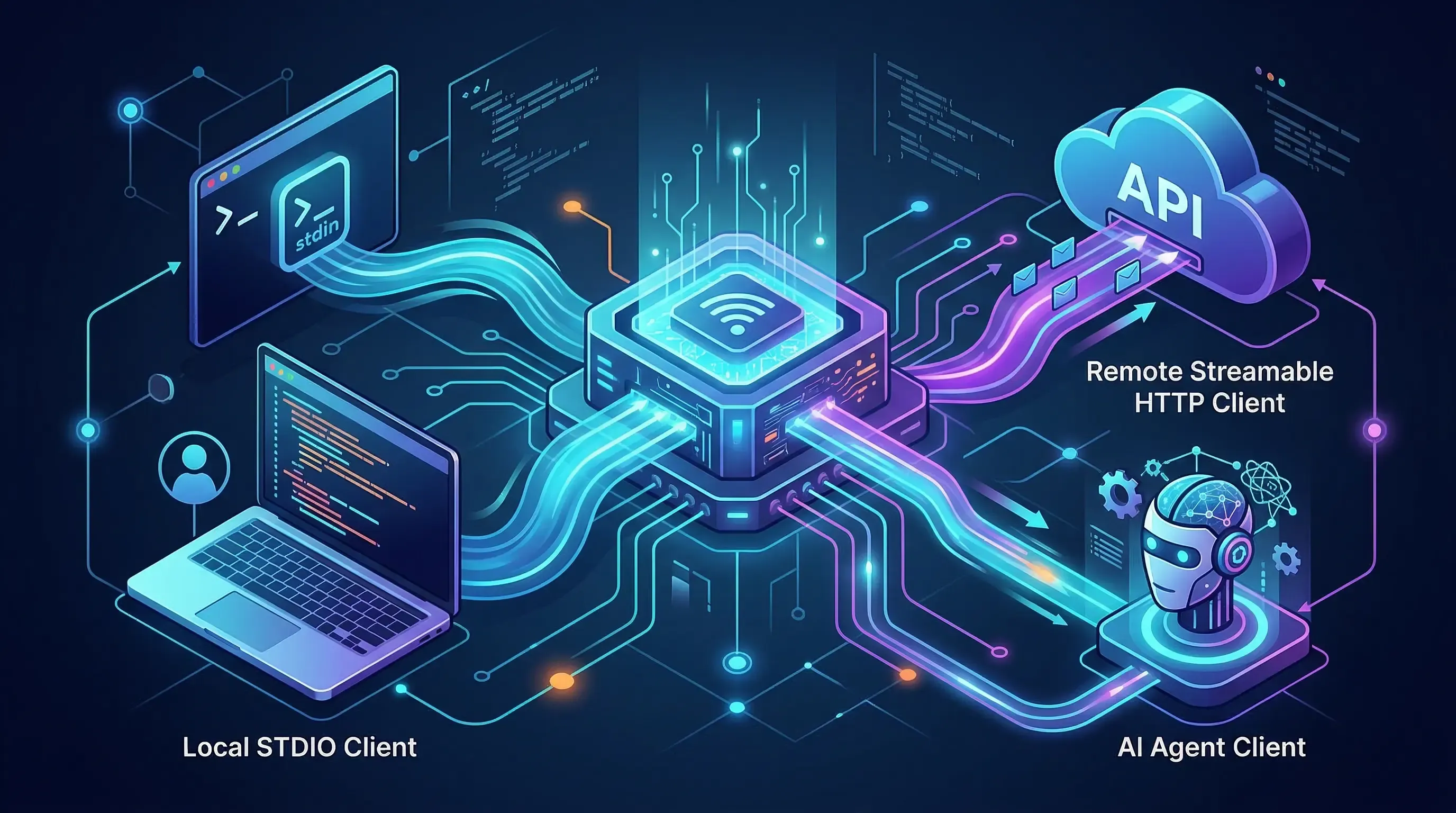
Local STDIO is great when the server lives on your laptop. The moment you want to share it across machines, put it behind auth, or plug it into a remote agent runtime, you need a real network transport.
FastMCP already ships the pieces for that next step. The server HTTP reference documents both SSE and Streamable HTTP app builders. For new work, Streamable HTTP is the better default.
Install uvicorn if you do not have it already:
uv add uvicorn
Then expose your server at /mcp:
from fastmcp.server.http import create_streamable_http_app
import uvicorn

app = create_streamable_http_app(
    server=mcp,
    streamable_http_path="/mcp",
)

if __name__ == "__main__":
    uvicorn.run(app, host="127.0.0.1", port=8000)
Start it like this:
python server.py
Your remote endpoint will be available at:
http://127.0.0.1:8000/mcp
The nice part is that you are still working with the same server object. You are swapping the transport, not rewriting the whole app. The HTTP reference also leaves room for auth, middleware, and resumable event storage when your demo grows into something people rely on.
Step 6: Connect the Server from Pydantic AI
This is where the server starts paying for itself. The Pydantic AI MCP docs show that a FastMCPToolset can connect to a FastMCP server, a transport, a Python script, or a Streamable HTTP URL.
Install the client package:
uv add "pydantic-ai-slim[fastmcp]"
Then connect your agent to the HTTP endpoint:
import asyncio

from pydantic_ai import Agent
from pydantic_ai.toolsets.fastmcp import FastMCPToolset

toolset = FastMCPToolset("http://127.0.0.1:8000/mcp")
agent = Agent("openai:gpt-5.2", toolsets=[toolset])

async def main() -> None:
    result = await agent.run(
        "Estimate a production release window for auth-api and billing-api, "
        "then draft a short status update for the rollout."
    )
    print(result.output)

asyncio.run(main())
You can also point FastMCPToolset at a local Python script or an MCP JSON config. That makes it easy to reuse the same server in a few different environments:
- Local desktop client over STDIO
- Shared agent over Streamable HTTP
- In-process tool use when the server lives inside the same Python codebase
This is the part I keep coming back to with MCP. Once the server interface is clean, the client code gets smaller and a lot less fussy.
Advanced Tips
Now that the basic server works, here are a few habits that will save you time later.
Mark read-only tools honestly
FastMCP supports annotations like readOnlyHint, destructiveHint, idempotentHint, and openWorldHint. Use them. They help hosts present safer UI and skip extra confirmation flows when a tool only reads data.
Prefer resource templates over endless one-off resources
If the data shape is stable but the identifier changes, a resource template is usually the better fit. runbook://{service} is a better design than registering fifty static resources by hand.
Add timeouts before you need them
The FastMCP tools docs include per-tool timeouts. That matters once a tool calls an API, hits a database, or waits on a slow internal system. If a task may run for a long time, move it into background task mode instead of letting a foreground request hang.
Keep prompt functions small
Prompt handlers are best when they return clear scaffolding, not a whole decision tree. If the instruction becomes long or stateful, put stable context in a resource and keep the prompt focused on the current task.
Common Problems and Solutions
Problem 1: Everything becomes a tool
Solution: Split static or reusable context into resources and prompts. Tools should do work, not carry your whole knowledge base.
Problem 2: The server works locally but feels awkward remotely
Solution: Start with STDIO, then move to create_streamable_http_app() when you need a shared endpoint. Do not try to force one transport to solve every environment.
Problem 3: Tool schemas confuse the client
Solution: Keep function signatures explicit. Use real type hints, avoid *args and **kwargs, and add parameter descriptions when the defaults are not obvious.
Problem 4: Sensitive tools look too easy to call
Solution: Do not label write actions as read-only. Use annotations honestly and keep destructive behavior in clearly named tools.
Conclusion
FastMCP is a good fit when you want MCP without spending your first afternoon on protocol mechanics. You can start with a local Python script, expose tools, resources, and prompts with decorators, and then move the same server to HTTP when the project grows.
The real win is the boundary. Put actions in tools, context in resources, and recurring instructions in prompts. Once that split feels natural, both local clients and agent frameworks get easier to wire up.
Key takeaways:
- FastMCP lets you build MCP servers with normal Python functions
- Tools, resources, and prompts should not be mixed into one giant handler
- The same server can serve local STDIO clients and remote HTTP clients
Next steps:
- Add auth and middleware if your server will be shared across environments
- Connect the server to a real data source instead of the in-memory examples above
- Explore related guides on Pydantic v2, Python CLI tools, and Python best practices
Official references used in this tutorial:
Discussion
Leave a comment
No comments yet
Be the first to start the conversation.